
Current Version

Looking for Live Help?
Schedule a live meeting with Drew Angell, PayPal Certified Developer, and get all of your questions or concerns answered.

Featured PayPal Products and Services
-

PayPal for WooCommerce
FREE! -
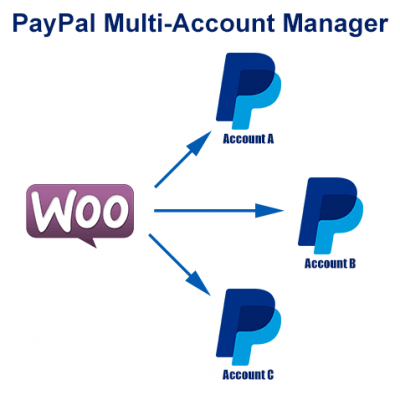
WooCommerce Multiple PayPal Accounts Plugin
FREE! -

PayPal Shipment Tracking for WooCommerce
$49.99 -

Offers for WooCommerce
$59.99 -

WordPress PayPal Invoice Plugin
$20.00 -

PayPal Webhooks for WordPress
$79.99 -
Sale!

PayPal IPN for WordPress
Original price was: $59.99.$49.99Current price is: $49.99. -
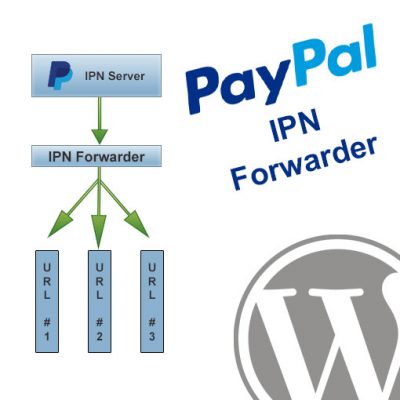
WordPress PayPal IPN Forwarder
$19.99
That’s the most complete IPN solution I have ever seen. You say It’s almost ready. What exactly is it missing? By the way you’re a superstar!
Thanks, I’m glad you like it! There’s actually quite a bit more I could do to this. For one, I’d like to turn it into an MVC based solution and re-do the admin panel so it’s a lot nicer. That hasn’t happened, though, because it does work pretty well as-is, so it hasn’t made the top of priority list yet.
Hey just found this! Pretty impressive. Can you include or post the Database SQL per chance?
Ah my apologies, just found the /install folder within the /admin directory. Going to try this out. Really awesome. I would mind themeing this a bit for you, just to make it a little easier to look at 🙂
Yeah, I’ve had plans to improve it quite a bit for awhile now, just haven’t gotten a chance to focus on it. It works pretty well as-is, though, and accomplishes its purpose of receiving all IPN data and making it available for you in the DB.
You might be interested in my PHP Library for PayPal, too. Check out the downloads section or my Programming -> PHP section for more info on that.
I have installed this today and after sorting out some problems caused by my ftp software it works great….
The only things I would also like it to do are to send an order acknowledgement email and to store purchasers address details preferably integrating into my current customer and product databases…
The email is the important one first though…
I know you have not charged for the scripts or offered technical support but if I were to insert the emailing code where would you start?
Regards
Chris.
Hi Chris. Sorry for the delay getting back with you.
To setup an email receipt you can generate the HTML and piggy back off the built in PHPMailer object. Adding it to order.php will take care of most transactions, but you’ll need to add it in subscr-payment.php for standard subscription payments, recurring-payment.php for those, etc. Each transaction has its own include file in the solution so whichever one you want to generate an email for it would go in that file.
Just take a look at how the email is sent at the bottom of ipn-listener.php and you can follow the same procedure to send out your email receipts.
You can also piggy back off the built in MySQL wrapper if you installed the IPN solution into the same database as your own tables. Then you can add inserts/updates the same way I’m hitting the IPN solution tables. Or, you could always simply relate your own tables to the IPN tables using an invoice number if you have one in place and are passing it to PayPal in your payment requests. That would make all of the data immediately available to your own tables, queries, etc.
Thank you for your very extensive IPN Template.
I found something that puzzles and bugs me.
I’m testing subscriptions in sandbox and I keep getting ipn_status=Invalid although payer_status=verified
Doesn’t this mean that the reply from paypal was not satisfactory and that I really shouldn’t process the order?
In the Sandbox the payments show up as ok, and in this Template admin they show up as ok as well.
Did I **** up something or do I just understand it wrong? 🙂
That means the data isn’t getting verified with PayPal correctly for some reason. The template configuration provides the ability to use fsock or curl for this. Whichever one you’re using you need to make sure it’s available on your web host.
I tried both cURL and fsock through your template. Both gave INVALID responses.
I called paypal and got to talk to one of the IPN experts who was kind enough to give me his “own” script. It’s very basic, built on fsock, but it gives me a VERIFIED response.
The question is why it works and yours doesn’t, since I’d prefer to use your more extensive template.
I never noticed it until now, but apparently at some point PayPal changed it so that you have to post your verification data back to their https:// server as oppose to regular http://. No idea when that was changed, but I know I’ve had it this way for years. What’s interesting, is I still have this installed on other websites where it’s accepting it on http://, so that’s odd.
Anyway, I was able to fix the problem locally by updating my CURL code to use https:// on the endpoint URL. Open up the validate.php file, and it should be (or around) line 50. The old version of this line is:
curl_setopt($ch, CURLOPT_URL,$ppHost.’/cgi-bin/webscr’);
Just need to change that to:
curl_setopt($ch, CURLOPT_URL,’https://’.$ppHost.’/cgi-bin/webscr’);
Let me know if that fixes it for you or not. Seems to have done it here. If so I’ll get it updated on my site soon. Thanks!
Hi again. Starting a new comment since above is running out of space.
First I thought I had found the problem.
I switched to fsock since it was working on my other script and found that your validate.php only wanted to go through port 80 so I hard coded it to use port 443.
Although that didnt solve it. So I checked what I got from the $ppHost. BINGO!
In config.php $sandbox returns false. This result in that $ppHost = ‘www.paypal.com’ and the validation get sent to http://www.paypal.com instead of http://www.sandbox.paypal.com
I changed it to rely on the $test_ipn instead.
This also solved it so that the “paypal sandbox database” I had set up was filled instead of the “paypal sharp db”.
Which reminds me, when I initially installed the template I only succeeded in creating the “paypal sharp db”. I manually had to make a copy to get the “paypal sandbox db”.
Ok, yeah, sorry. I didn’t think about that.
I run all of my test servers using a sandbox domain similar to what PayPal does, so I set $sandbox based on whether or not the current URL is using a sandbox subdomain or not. If you don’t adjust that to suit your own web hosting then $sandbox will end up being false like you said. I should probably add some instructions about that somewhere.
Be careful doing it based on the $test_ipn. I honestly can’t remember exactly what it was, but there was a conflict I ran into where I had to specifically separate those and use them separately through-out the scripts. I would just make sure $sandbox is correctly true/false based on your servers.
lol, just adding a couple “bugs/solutions” I found, hope I’m not harazzing you, just thinking it might save someone some time:
I changed the top part of config.php to
$test_ipn = (array_key_exists('test_ipn', $_POST) && 1 === (int) $_POST['test_ipn']) ? true : false;$sandbox = $test_ipn;
$ppHost = $test_ipn ? 'www.sandbox.paypal.com' : 'www.paypal.com';
//$ssl = $_SERVER['SERVER_PORT'] == '443' ? true : false;
$ssl = true;
I also had NOT set my SMTP Settings so I noticed that when the sandbox was true the mail function didn’t work, I had to comment out
//$mail -> Host = $smtp_host; on line 38 in ipn-listener.com for that and I also commented out
//$mail->AddAddress(‘matthew@angelleye.com’, ‘Matthew Friedman’);
//$mail->AddAddress(‘julia@angelleye.com’, ‘Julia Symanski’);
in the end of that script to save you some mail 🙂
Sorry about that. Those emails to my employees should not have been in there. That was a mistake. You can remove those lines.
You will need to make sure your config file is setup so that boolean values are evaluating the way you expect them to.
Hello Matthew
I have just the same opion of Paul. I saw that piece of code and I thought that that piecee of code is wrong.
if(!$sandbox)
{
$mail->AddAddress(‘matthew@angelleye.com’, ‘Matthew Friedman’);
$mail->AddAddress(‘julia@angelleye.com’, ‘Julia Symanski’);
}
Yes, that was a mistake that those are there. Sorry about that. You can safely remove that snippet, of course. I’ll get that updated on my download before long.
This is an amazing library, so far the best and most complete i’ve ever seen, correct me if im wrong, but the only part missing would be the Adaptive Payments, or i may be missing some latest version?
Thanks
I’m glad you like it, but yeah, I’m a little behind on my plans with it. I’ve actually been meaning to rebuild this with CodeIgniter or at least make it more object oriented. Just haven’t had the time to do so yet.
Hi again,
How do I know if I am looking at the admin for the sandbox or the real payments? How do I switch it?
And is there a good way to secure the whole ipn folder from preying eyes?
The admin panel would actually contain any IPN’s from the live server or the sandbox that you have pointed at it. Sandbox records will show up highlighted in Yellow, though, while live transactions will follow the regular alternating colored rows. The row will be highlighted red any time the IPN is unverified whether it’s from the sandbox or the live server.
You can use htaccess to protect your IPN directory, but you need to make sure you don’t end up making ipn-listener.php inaccessible to the public.
First off…..THANK YOU soooooo much for this. This is my first time doing a database and with a little web background I was able to figure this puppy out. Great product!
Question:
I’m stuck on the orders-results.php page. I stretched the container to be bigger so I could fit a few more things on the table (like email, transactionid, etc).
It doesn’t look as though its on that exact page. How do I do this? How can I add more stuff to the order page for quick view.
Thanks again!!! You rock!
I figured it out….lol grabbed the wrong page on accident.
THANK YOU soooooo much for this. This is my first time doing a database and with a little web background I was able to figure this puppy out. Great product!
Glad you like it and got it working. Let me know if you have any other questions.
I implemented your IPN script, but every time I receive an IPN, it shows as invalid. I have only used this with the sandbox so far, does this script still work or is there a newer updated version that I should have downloaded from some where other then this one?
I haven’t updated it in quite some time. I haven’t had any issues with verification, though. Are you using CURL or fsock?
I was using CURL. When testing with live accounts, it seems to work. However, when running a test with sandbox accounts, it comes back as invalid.
Are you seeing the test_ipn parameter included with the sandbox IPN’s? Everything is the same except that when it sees that variable it posts back to sandbox.paypal.com instead of just paypal.com, and I’ve never had any issues with it. I just checked my own sandbox server and all of the IPN’s hitting that from PayPal’s sandbox are coming through verified using this same solution. Did you make any changes to the config file or anything?
I haven’t changed anything that should effect it from validating. The only thing thing I did was set my db info, and I commented out the section where it sends 2 other people emails when I receive an IPN. You had those set in the ipn-listener.php file around line 183. I posted it to my live site site if you would like to see what I am seeing. I can email you the URL if you would like. Also if it helps, the same script works when its a live payment, its only when its a sandbox payment that I get invalid.
Do you have any suggestion how to test recurring payments with paypal sandbox?
In sandbox account I get email “You have a new automatic payment profile for test pro’s Test Store” but I would like to test it with IPN also.
The sandbox will trigger an IPN when the profile is created, so if that’s what you’re testing for you can use it like normal.
If you want to test IPN’s for actual payments associated with a profile you’ll have to do that on your own. Their simulator doesn’t include those, so you have to create a basic HTML form with hidden fields that match the names of what you’d expect to get from PayPal. Set the action of the form to your IPN URL, and then you can POST directly to it and see the result on screen, which can also help with troubleshooting.
Keep in mind that when you test this way the data isn’t coming from PayPal’s server, so the verification will fail. You can handle that accordingly for testing purposes, and once everything is working as you expect otherwise you’ll know it’ll work the same with the actual PayPal data that validates successfully.
Help that helps.
Andrew
Hi, thanks for the templates.
I’m struggling to get it to work on sandbox though. Like a couple of other posters it seems to work but IPN status is always invalid. I’ve tried Fsock & curl – no difference. Also followed the conversation with Paul but nothing there made any difference.
Whats even more annoying (for me) is I’ve used these a couple of years ago (& they are still working) but can’t see why they wont work this time.
Any thoughts?
Thanks
I got a friend to test this out of sandbox & I’m get ipn_status – Invalid. Just a thought, could a firewall block the comunication & cause this?
Are you using my IPN solution directly or did you make any changes to it at all?
Usually invalid responses are the result of not sending them the exact same data string they sent you, but my scripts handle that for you so if you haven’t touched it that shouldn’t be the problem.
Are you using fsock or curl for the POST back to PayPal? My script offers both options. Maybe try the opposite of what you’re trying now to see if that works. If it does, we’ll know it was an issue with your other option. For example, some servers don’t provide fsock so you’d have to use curl.
Hope that helps.
Looking at my logs I can see this
PHP Warning: fsockopen(): unable to connect to http://www.sandbox.paypal.com:80 (Connection refused)
back to the firewall & ammended the rules to allow http://www.sandbox.paypal.com (removed the http or https)
hey presto verified!
Many thanks
Graeme
Glad to hear you got it worked out!
Happy New Year!
Well, I tested in sandbox, then got a small smaple to test on production all good.
Today I set it live & all seems good… then one or two invalid start creeping in. The last 4 have all been invalid.
any thoughts?
Think I’ve found the answer.. It’s my firewall causing the trouble.
I need to post to ipnpb.paypal.com & have a list of IP addresses for that sub domain from here https://ppmts.custhelp.com/app/answers/detail/a_id/92
I’ve changed line 7 in my config file to..
$ppHost = $sandbox ? ‘www.sandbox.paypal.com’ : ‘ipnpb.paypal.com’;
and am about to test, but as it’s not something that can be tested through sandbox would appreciate if you can see any possible issues?
Sorry for the delay getting back to your comments. Looks like you’ve gotten it all worked out, though..??
When you say you’ve used these a couple of years ago are you talking about this same solution I provide? It really hasn’t changed in quite some time, so it should be the same. Are you running on a different server now?
No problem, thank you for the templates & help.
All is working well now, no ipn’s Invalid for 2 days & I’ve found out why the domain / ip isn’t that dynamic – https://forum.bytemark.co.uk/comments.php?DiscussionID=4116&page=1#Item_0
Far better than the paypal support who emailed me – looks like they dont know the product support pages.
Thank you for contacting PayPal regarding IP addresses.
I have reviewed your previous email’s and it shows you are wishing to obtain a list from PayPal of the different IP Addresses that PayPal use.
PayPal use different IP Addresses Mr. Knott so other hackers and fraudulent parties aren’t above to hack into the website and information.
Unfortunately for security purposes PayPal aren’t allowed to provide IP Addresses to customers.
We appreciate your patience and understanding regarding this matter, and wish you continued success on PayPal.
Yours sincerely,
Fiaz
PayPal
Thank you for your reply.
Do you have any working example of what must be posted so that your IPN admin will detect it as recurring payment?
Simple form with all the required fields on jsfiddle would be great!
Here’s the form I’m using to test recurring payments, but doesn’t work, it isn’t visible in IPN admin.
Something is obviously missing… Can you take a look?
http://pastebin.com/nmyb0Ndu
It looks for a txn_type of RECURRING_PAYMENT which it looks like you’re using. That means you must have something else going on. Are you getting any error on screen? If not, make sure error reporting is enabled for troubleshooting purposes, or check your web server logs to see what’s happening when you submit this.
Issue was that I was always using the same value for “subscribername”
somehow this was preventing of storing in DB, but there was no error showing up.
One question tho, do I need to create recurring payment profile or do recurring payments work without it?
Damn, just saw that you need to create recurring payment profile first.
Is it possible to somehow create profile and payment together in one step?
I’m talking about recurring payments.
RokSiEu, yes, you have a couple of options for that. Within CreateRecurringPaymentsProfile you could use the INITAMT parameter to charge a one-time payment on top of the recurring profile. For example, a cable company might charge a $100 setup fee on top of a $50/mo subscription.
You could also submit an actual order payment with shipping, tax, etc. using Express Checkout or Payments Pro and then call CreateRecurringPaymentsProfile separate from that to create the subscription.
Make sense?
Andrew
Andrew do I have to apply for 1on1 session for this kind of questions?
Sorry, I’ve just been a little behind on my website updates, but I’ve responded now. The 1-on-1 training will be useful if my response isn’t clear.
sorry,how to install it?
Just edit /admin/config.php accordingly, and then upload the contents to your web server. Then load /admin/install in a browser. Follow the directions from there.
Looking at my logs I can see it’s the change of the paypal IP address that seems to prevent it.
This one seems fine…
* Closing connection #0
* About to connect() to http://www.paypal.com port 443 (#0)
* Trying 23.51.194.234… * connected
* Connected to http://www.paypal.com (23.51.194.234) port 443 (#0)
then this one not
* About to connect() to http://www.paypal.com port 443 (#0)
* Trying 23.43.82.234… * Connection refused
* couldn’t connect to host
* Closing connection #0
How would I use this to keep track of inventory? What I want it to do is subtract the item after paypal has verified the completed transaction from my page and show “Sorry out of stock” If the item is temporarily out of stock.
I’m sorry for the delay getting back to you.
If you have a database setup to track your inventory you could just update that inventory value from within the IPN script. If the table is in the same DB that you installed IPN to then you could piggy back off the existing connections included with the IPN solution and it would be very quick and easy.
From there, I would imagine your site is already running off your own inventory database and displaying whatever message you want when the QTY gets low..?? As such, that part would happen like usual and IPN would simply handle removing QTY from your existing table when the order takes place.
Make sense?
Many thanks for this, I’ve been reading about IPN for the last couple of days and was trying to write my own script then found this. Very easy to install and exactly what I was after. Thanks again
Glad I could help!
How can i change the layout of the email that is sent from ipn-listener.php? Currently it is sending all the data jumbled together and i would like to have it formatted a bit better.
The email is getting sent at the bottom of ipn-listener.php. You’ll see it’s using the $ipn_email variable for the email body value, and this is getting set in that same file when it loops through all the IPN data for verification. You can simply generate your own HTML for the $ipn_email variable using all of the IPN data accordingly.
Hello, thanks for the great product, its working just fine. I have only one problem.. I cant update my products DB after the whole procedure is complete. Im trying
$item_name = $_POST[‘item_name’];
$sql1 = “UPDATE abstract SET sold = ‘Yes’ WHERE picname = ‘$item_name'”;
db -> query($sql1);
Right before the end of the file, but with no result… The abstract table is in the same DB as the orders table witch is being updated successfully every time. Everything else is working perfect. Any suggestions would be more than welcome! Thanks in advance
As long as your table name is correct and it’s in the same database it should work fine. The MySQL wrapper class I’m using in that solution has error reporting with it, so what you’ll need to do is add a dump (to a text file or email yourself) of the MySQL error when that particular command is run.
Just wanted to share the fix to changing the output email body,
in ipn-listener.php
else

{

	$mail -> Subject  =  'PayPal IPN : Completed Successfully';

	$mail -> Body = $ipn_email;

	$mail -> AddAddress($admin_email_address, $admin_name);

	if(!$sandbox)

	{

		$mail->AddAddress('matthew@angelleye.com', 'Matthew Friedman');

		$mail->AddAddress('julia@angelleye.com', 'Julia Symanski');

	}

	$mail -> Send();

	$mail -> ClearAddresses();
to
else

{

	ob_start();

	include('includes/email_template.php');

	$Newbody = ob_get_contents();

	ob_clean();

	$mail->From="email@email.com";

	$mail->FromName="My Email";

	$mail->Sender="email@email.com";

	$mail -> Subject  =  'MySubject';

	$mail -> Body = $botbbody;

	$mail -> Send();

	$mail -> ClearAddresses();
I didn’t realize I still had those old emails getting included in there. If you’re using an old version you’ll want to remove those. As for needing the ob_start() and ob_clean() you shouldn’t need that unless you have spacing/white space issues with your code somewhere. I’ve never needed to resort to using those, but if it makes it more simple for you and works, then I’m glad to hear it!
Hello Andrew
I just start with your IPN Template and I got stuck with config file admin/config.php
I don’t for sure that 2 fields
1. $db_host = $sandbox ?
2. $db_database = $sandbox? Is it my own database?
Can you help me to figure it out please
Those are shorthand if/else statements. You just need to fill those in with your own credentials, and it gives you separate placeholders for sandbox (testing) vs production (live) credentials.
$db_database= $sandbox ? ‘db_sandbox’ : ‘db_production’;
is the same thing as…
if($sandbox)
{
$db_database= ‘db_sandbox’;
}
else
{
$db_database= ‘db_production’;
}
I’ve found that your `orders` table does not have `business` filed. It means that you do not save the $_POST[‘business’] parameter that is very useful if you have multiple sites linked to the same PayPal account.
So, I have modified the orders.php file and `orders` table to save it.
And do not forget to add
if ( !$valid ) exit;after therequire_once('validate.php');. Otherwise, you will be saving even not validated calls.The business parameter was already being parsed along with everything else within the parse-ipn-data.php include file. I do see that it was apparently left out of the orders table, so yeah, adding it there would be real simple as the value is already prepared for you.
As for the if(!$valid) exit() I prefer not to exit. Instead, the record gets logged as invalid and would then show up as a red highlighted row in the IPN admin panel when viewing the history. That way you still get the data and you can see that your IPN was hit, but you can clearly see it was invalid. That way you can research a little bit and see what’s going on rather than simply exit and do nothing.
Completely up to you how you want to handle that, of course.
I just want to say, I have been researching
IPN for the last 2 weeks and I received a lot of information and I feel like I can build something like this. If only I found this when I was starting out. I think you should really work on getting this worked out so you can sell it! I would def. be the first buyer!
Thanks for the feedback. I built this little template years ago, so it’s got all sorts of improvements that could be made. I keep telling myself I’m going to redo it but I just haven’t made it a priority yet because while this is still pretty rudimentary, it works great. I do still plan on improving it at some point, though.
Hi Andrew, in our PayPal account IPN we have our shipping program Teapplix URL there in the IPN url in PayPal. I would like to replace Teapplix URL with my URL for the IPN listener you have here. Do you know of a script to rebroadcast that out to Teapplix and Aweber IPN listener? How safe is that to re-broadcast PayPal’s IPN info out again over to Teapplix and my Aweber account? Hope I make some sense here. I thought I had read you had done that, but can’t seem to find. It appears PayPal is still only allowing 1 IPN URL
That’ll work fine. I actually wrote an article on exactly that process awhile back.
Hello Andrew,
I am using rest api for recurring payment through paypal, how I recieve the last successful payment date using these api.
Please help me
Thanks
Harikesh Yadav
Hi Harikesh,
If you install the IPN template it and setup your IPN settings in PayPal to point to it then it will start logging all transactions on your account, including REST payments.
I really like this script. What would it take to get you to make a client side form to be able to change his user name and password. How much would you charge?
Do you just want to protect the admin panel? You could do that with .htaccess/htpasswd pretty easily. Google that and if you still need help you can fill out a quote request.
Thanks for a great resource, there is a lot to be improved code wise but it saved me a whole lot of time!
I’ve a few questions:
– The tables adaptive_payments, adaptive_payments_transactions and adaptive_payments_preapproval_transactions are not referenced anywhere in any of the code in the IPN handler?
I assume adaptive payment handles is not yet fully implemented supported?
– same thing for the function NVPToArray($NVPString) (in ‘functions.php’ in includes folder). I vaguely remember NVP being something completely different then IPN so I guess its old code?
– the 2 folders WA_DataAssist and WADbSearch are they used somewhere (other then in the IPN handler because there is no reference to any of those folders / files from there)?
I’ve focused on the IPN handler for now (not yet the admin part) and adapted it for CodeIgniter, I’ll check the admin and then put it online somewhere for download.
This template was built years ago and it was never meant to be a full solution of any kind. Just a quick starter template to get IPN working and saving to a database. The WA_DataAssist and WADbSearch stuff is what helps drive the admin panel that comes with the template.
The IPN handler itself just takes all of the data, parses it into individual PHP vars, and then adds them into the db so that you can easily browse it via the admin panel. It also comes with the PHPMailer and a DB wrapper to make customizing it easy.
Again, though, you will indeed need to quite a few adjustments to make this a solid solution for a full project. For example, the database tables are not normalized in any way. There are just different tables for the different IPN types.
You are correct that adaptive was never fully implemented here.
Sir,
This post with hope because I am get exhausted for searching such script which provide automatic download after payment in PayPal by customer. I am not a expert of web but lot of readings books, created my first website with my photograph for sell purpose. This is big problem of installing and how to use this script and folder creation for storage of downloadable image, please give detailed guideline for that. Provide latest information.
Please do not refuse request
Thanks
I don’t have a detailed guide readily available, unfortunately. Are you working with WordPress, by chance?
I am not working with WP. My website is independent. Sir please provide any guideline about.
Can you please help me with multiple ipn’s in single website?
So when PayPal sends an IPN, you want that same IPN data to hit multiple URLs / scripts?
Does not work with PHP7+ due to changes in how certain mysql requests are made
Yes, we plan to get that fixed. We’ll be completely revamping this whole solution so it works with existing IPN tools on Composer/Packagist and then builds in the UI more nicely as well. Stay tuned!
Can’t install. I followed instruction to no avail. Getting this error:
Fatal error: Uncaught Error: Call to undefined function mysql_connect() in /home/house272/public_html/paypal/ipn/includes/database.class.php:76 Stack trace: #0 /home/house272/public_html/paypal/ipn/admin/install/create-db-tables.php(7): Database->connect() #1 {main} thrown in /home/house272/public_html/paypal/ipn/includes/database.class.php on line 76
What version of PHP are you running? This solution is pretty old now and hasn’t been updated for PHP 7.0+. We plan on getting to that but it just hasn’t made our priority list yet. 🙁
Andrew,
I have used this script for years and it has worked very well for me. But now I am getting notifications from PayPal that buy June it the the IPN has to be an Https call. It has to have a new $ppHost. https://ipnpb.paypal.com/cgi-bin/webscr. How do I change this? I see where I can change the $ppHost in the config.php, but I don’t see how to make it https. All these years I only used HTTP. Can you give me any direction on how to fix this issue. I don’t want to lose my PayPal IPN after June. Thanks.
Did you try updating the $ppHost field in the config file using the new address with https:// included? I think that should do it, actually. You could set that and use the IPN Simulator to test it real quick. I actually haven’t done much with this template in a while as it’s getting outdated. We do have plans to make a new one based on some of the IPN toolkits available through Composer, and then building the admin panel onto that (which is what they’re all missing right now). I’m not exactly sure when we’ll have that done, though. But yeah, updating $ppHost should do the trick.